---
title: Secure Document Viewer for Android Devices | Mobile Document Security
description: Prevent forwarding and sharing of secure documents on Android devices with the FileOpen Viewer for Android.
---
[](https://www.fileopen.com)
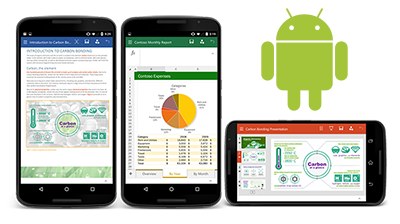
# Secure Files on Android
[](https://cta-redirect.hubspot.com/cta/redirect/74620/7b2197cb-f87e-40d9-a08c-3a421e82b8fe)
### Prevent Saving and Sharing of Files on Android Devices
**
#### Stronger Encryption
Put a stop to unauthorized sharing of paid content or confidential documents on Android devices. Enforce usage policies such as expiration, copy/paste and screenshot prevention.
**
#### Extend or Revoke Access
Support BYOD and subscriptions with FileOpen's device controls. Add or revoke a user's Android device with one click in your FileOpen dashboard.
**
#### Easy User Experience
Once a user authenticates, they won't need to enter any additional logins or passwords to view your protected documents. You can allow offline/airplane mode access as well.
**
#### Integrate with Other Solutions
Leverage the FileOpen API to connect your user database, ecommerce, and other systems to your workflow. Encrypt files dynamically according to triggers in other systems.
**
# FileOpen Access Controls for Android
**
#### Expiration
Expire access after a specified date or number of uses.
**
#### Prevent Copy/Save
Stop copying or saving (of file and of contents).
**
#### Revocation
Disable access to files at any time, from anywhere - instantly.
**
#### Control Printing
Prevent or limit printing to # of prints or device.
**
#### Watermark
Overlay user-identifying data on digital or printed documents.
**
#### Offline Access
Enable time-limited access for airplane mode etc.
## Learn more about FileOpen Android Security
#### Related Resources
[FileOpen Viewer for Android v2.4](https://www.fileopen.com/blog/bid/102192/FileOpen-Viewer-for-Android-v2-4)
[FileOpen Viewer for Android is now Available](https://www.fileopen.com/blog/bid/99950/FileOpen-Viewer-for-Android-is-now-Available)
[Enabling Secure BYOD: Protect the data, not the device](https://www.fileopen.com/blog/bid/99418/Enabling-Secure-BYOD-Protecting-the-data-not-the-device)
[What makes FileOpen document security different?](https://www.fileopen.com/blog/what-makes-fileopen-document-control-different)
[](https://play.google.com/store/apps/details?id=air.com.fileopen.ios&hl=en)
The FileOpen Viewer App for Android is freely available for your users on the [Google Play](https://play.google.com/store/apps/details?id=air.com.fileopen.ios&hl=en) store. Please note the user must have the publisher's permission to open secured files on Android.
Learn how you can secure files on Android with [RightsManager](https://www.fileopen.com/products/rightsmanager/), [RightsServer](https://www.fileopen.com/products/rightsserver/) or our [Developer Toolkit](https://www.fileopen.com/products/developer_toolkit/).
[](https://cta-redirect.hubspot.com/cta/redirect/74620/46ea00af-091b-4cb9-bdba-41a02f178419)
###### Support
[Get The Plugin](http://plugin.fileopen.com/all.aspx)
[Plugin FAQ](https://www.fileopen.com/products/client-faq)
[Troubleshooting FAQ](https://www.fileopen.com/products/troubleshooting-faq)
[Submit a Case](https://www.fileopen.com/request-tech-support)
###### Products
[FileOpen RightsManager](https://www.fileopen.com/products/rightsmanager)
[FileOpen RightsServer](https://www.fileopen.com/products/rightsserver)
[FileOpen Developer Toolkit](https://www.fileopen.com/products/developer-toolkit)
[Client Overview](https://www.fileopen.com/products/fileopen-client-overview)
###### Resources
[Learning Resources](https://www.fileopen.com/fileopen-whitepapers)
[Solutions Overview](https://www.fileopen.com/document_security_solutions/industry)
[Document Security Blog](https://www.fileopen.com/blog)
###### About
[About FileOpen](https://www.fileopen.com/company/about-fileopen)
[Why FileOpen?](https://www.fileopen.com/company/why-fileopen)
[Partners](https://www.fileopen.com/company/partnering-opportunities)
[Privacy Policy](https://www.fileopen.com/company/privacy-policy)

1010 Fair Ave, Suite A, Santa Cruz CA 95060 | [831.706.2170](tel:%20+18317062170) | [info@fileopen.com](mailto:info@fileopen.com)
Sign up for email udpates
© 2026 FileOpen Systems Inc.
